Playlist Wrangler
A free extension for Chrome, Edge, and Firefox that organizes any YouTube playlist — search it, auto-tag it, split it, export it. No API keys, no OAuth, no paid tier, and your index lives in your browser, not on a server.
What it does
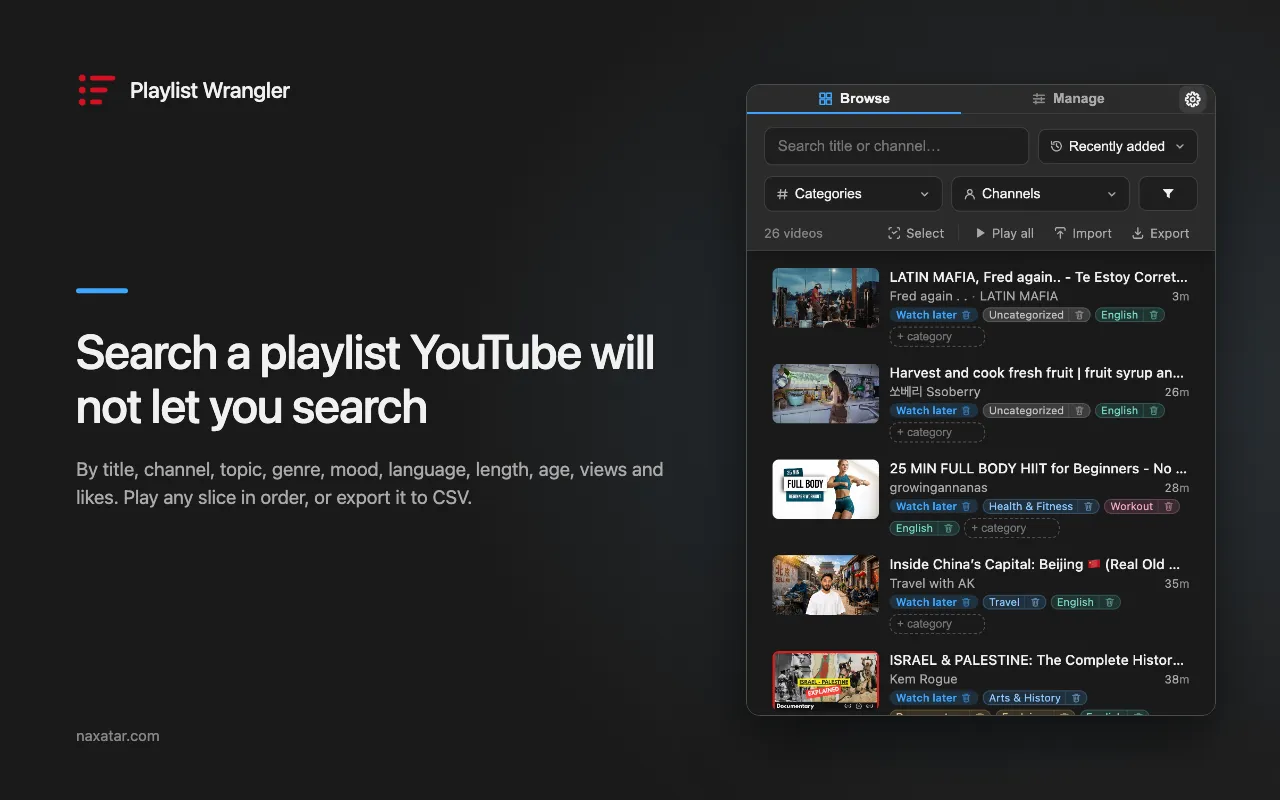
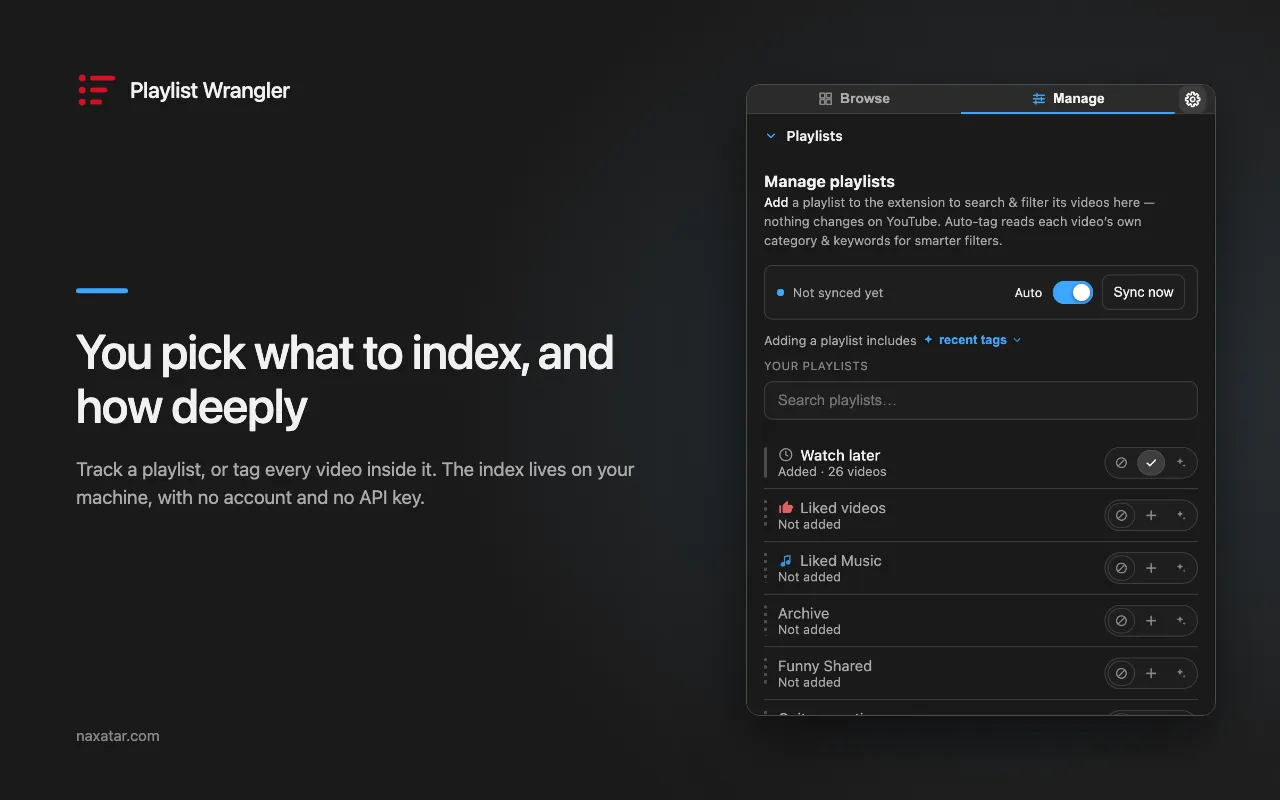
Scan a playlist once and every video in it is searchable, filterable, sorted into categories automatically, and ready to be moved, removed or played in bulk.
Find
- Search every video by title, across all your scanned playlists at once
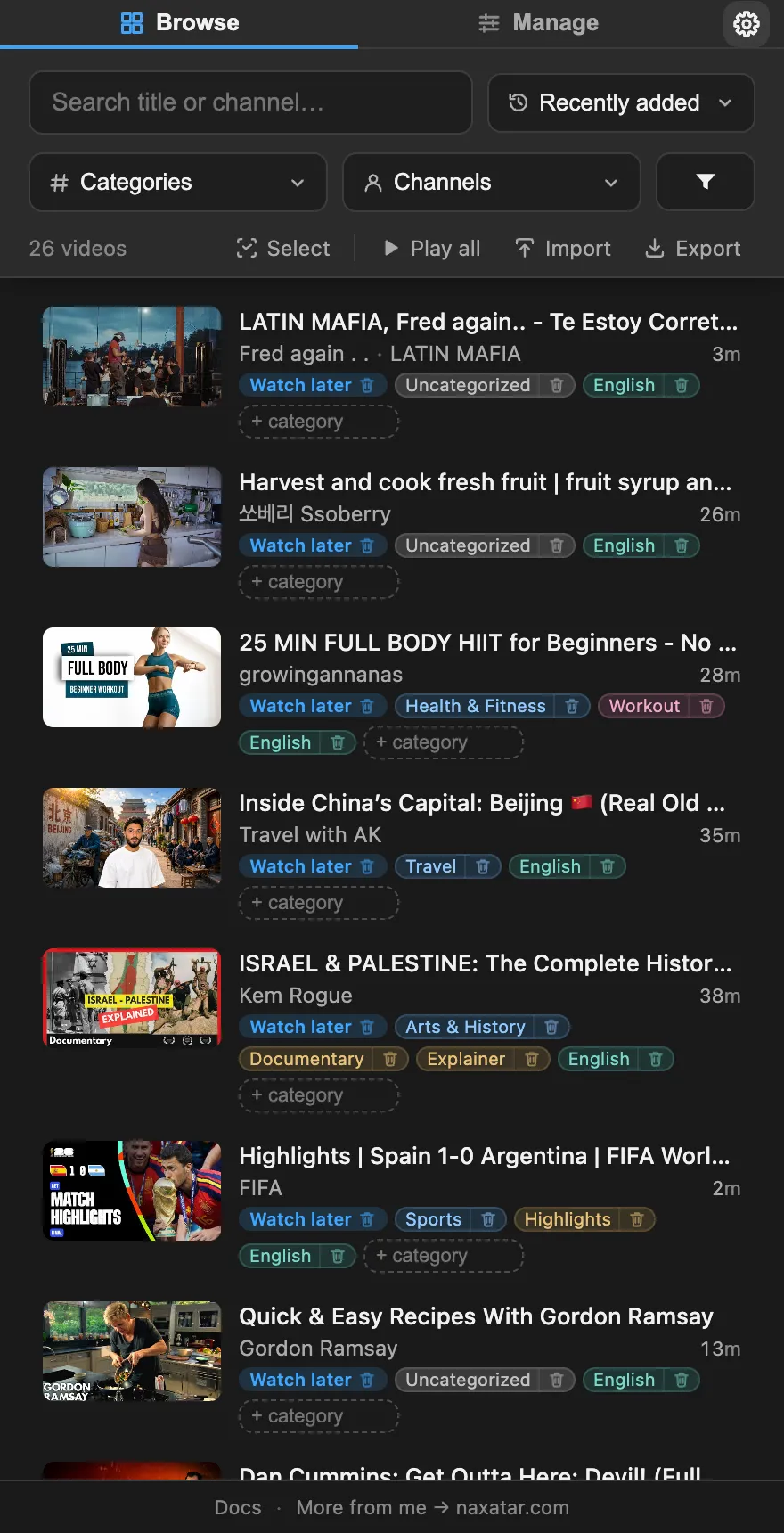
- Filter by category, channel, length, age, views, likes, captions, language
- Tell Shorts from videos, and songs YouTube Music will play from the rest
- Sort by newest, oldest, longest, shortest, most liked, likes per view — or shuffle
- Save a named view — a search, sort and filters, reopened in one click
- One list across every playlist, with a video saved in several merged into one row
Sort automatically
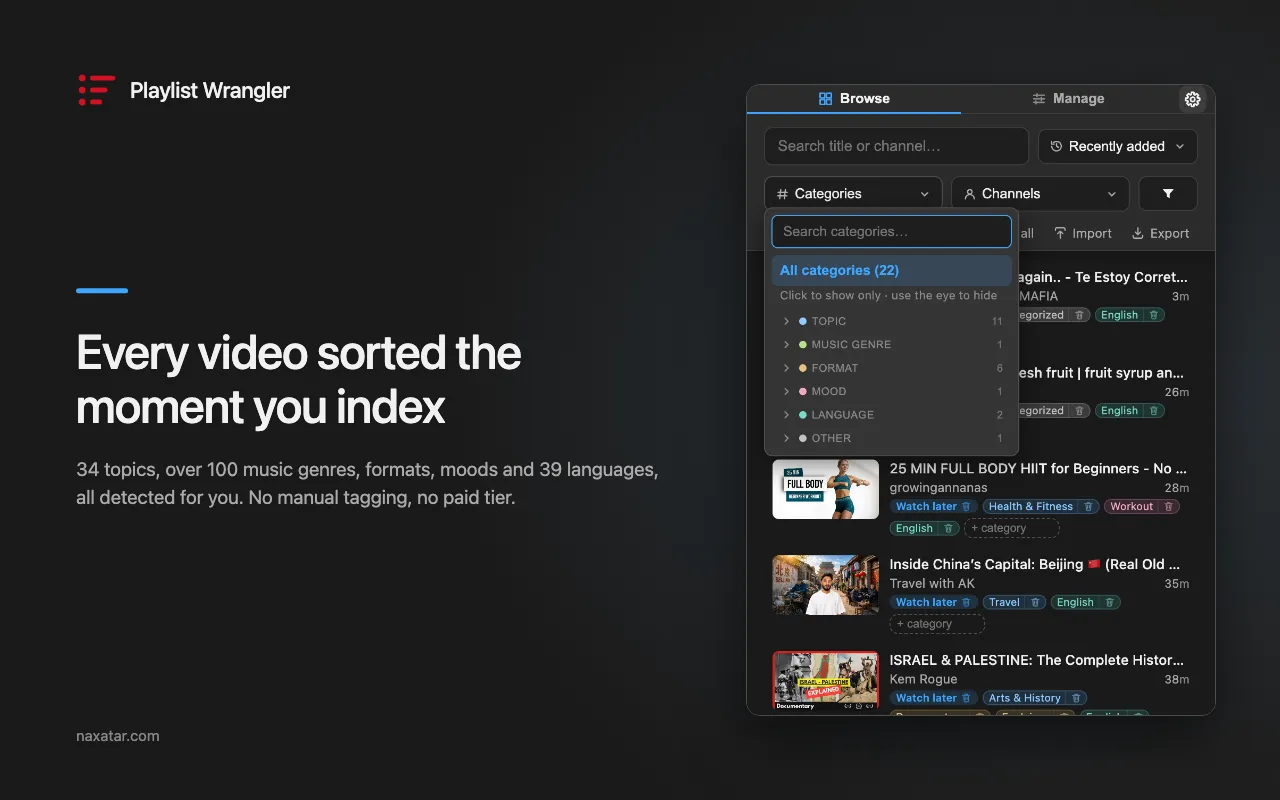
- 252 categories and 40 languages, worked out on your device — topic, genre, film & TV, format, mood
- Nothing to label by hand, and not a paid upgrade
- Add or remove your own categories, on one video or a hundred
- A few thousand videos in a couple of minutes — keep browsing while the scan runs
- Scan every video in detail (optional) for YouTube’s own category, keywords and exact stats
Clean up
- Filter by watch progress — how much of each video you have watched
- Mark videos unwatched in bulk, clearing the red progress bar
- Find duplicates — videos saved in more than one playlist
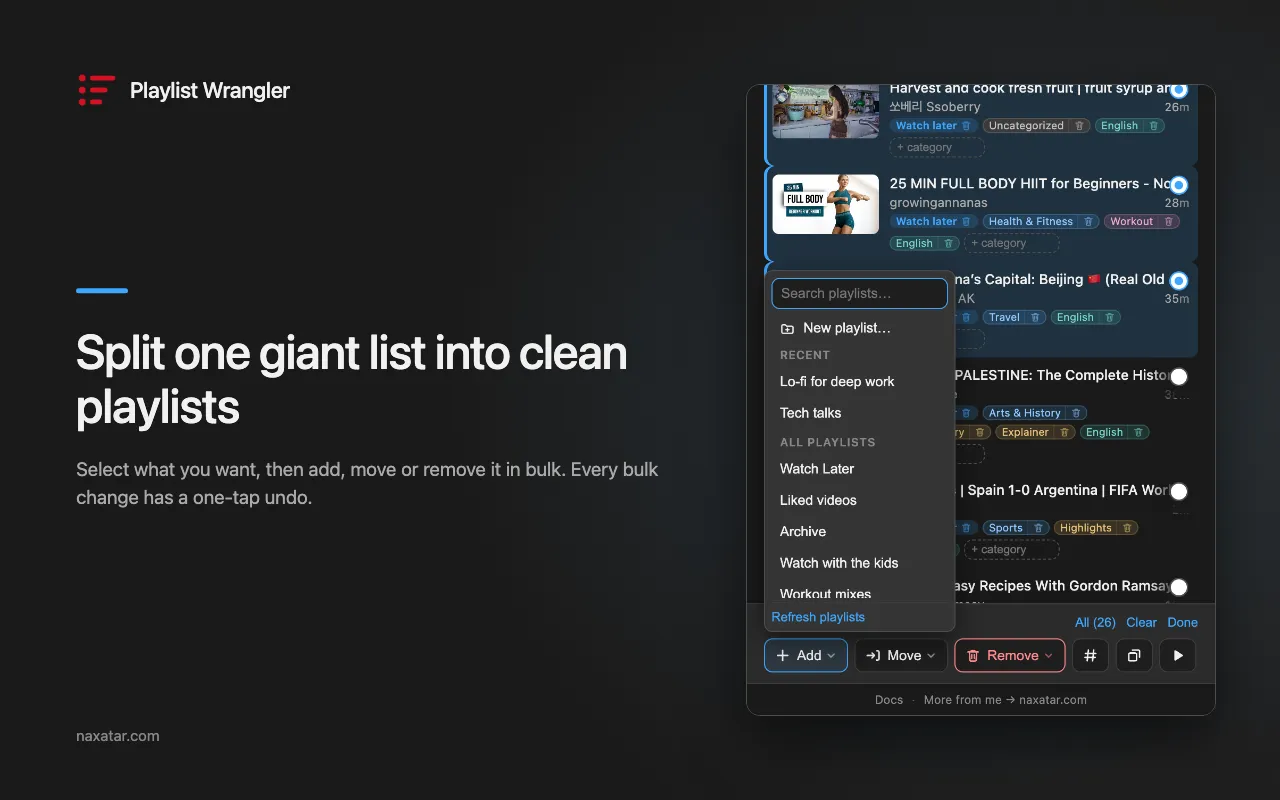
- Select many, then add, move or remove across playlists — with one-tap undo
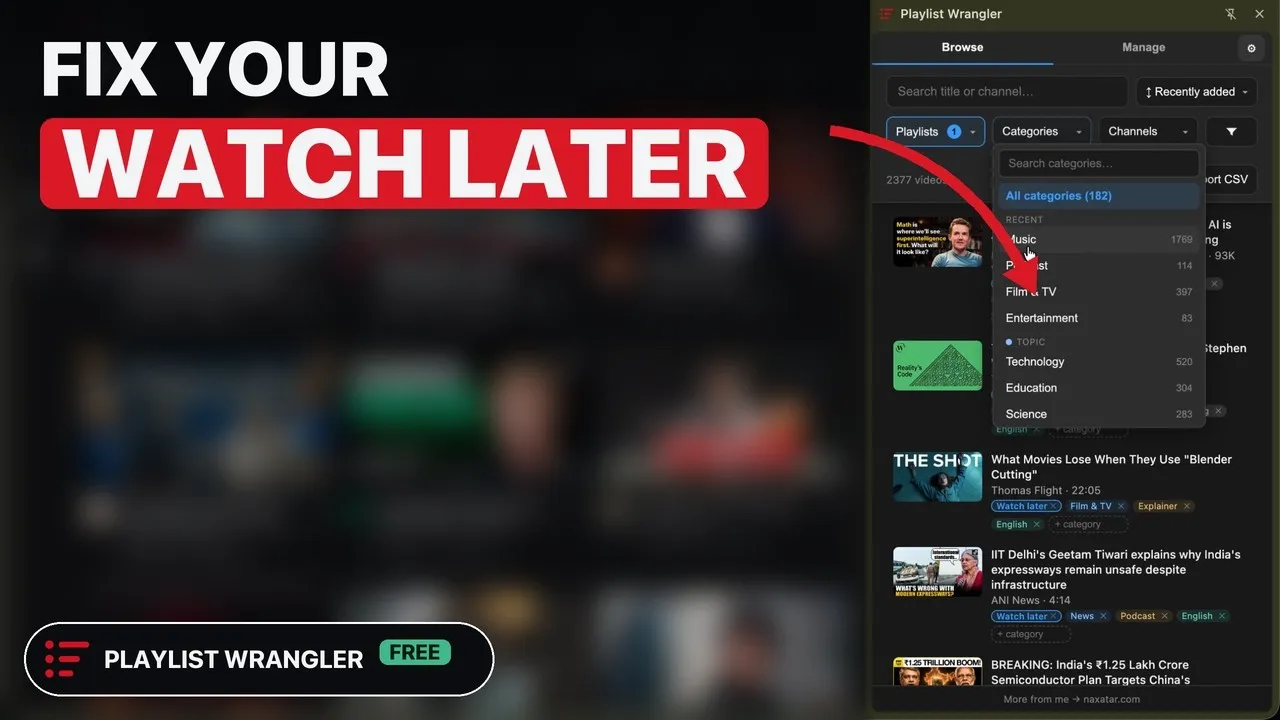
- Split one giant Watch Later into clean playlists
Play
- Play a filtered set from any row, or your selection in the order you picked it
- Play next or Add to queue, onto YouTube’s real queue
- Play your songs on YouTube Music
- Send what you picked to your phone with a QR code
- Ask what’s in a video without playing it, and keep the answers
Save and keep
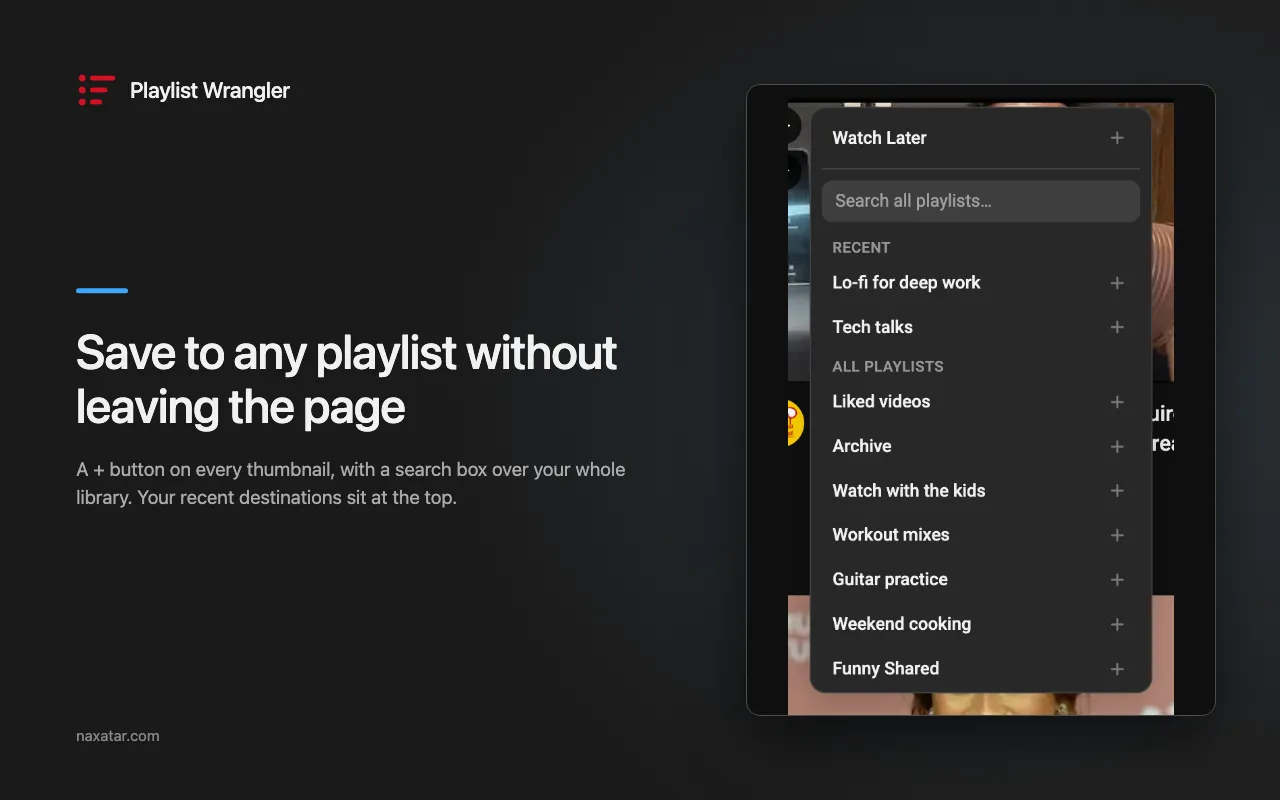
- Save to any playlist straight from a thumbnail
- Import pasted YouTube links or video IDs into a playlist
- Export any view to CSV
- Keep the row of any video YouTube deletes, privates or blocks
- Warn before a playlist hits the 5,000-video cap, and free up room in one click
- Stay in sync with YouTube: changes show within a couple of minutes while the panel is open
Private
- No API keys, no OAuth, no quotas — it rides your own signed-in session
- The whole index stays in your browser
- Private and unlisted playlists, Watch Later and Liked videos
- Multiple signed-in YouTube accounts, kept apart
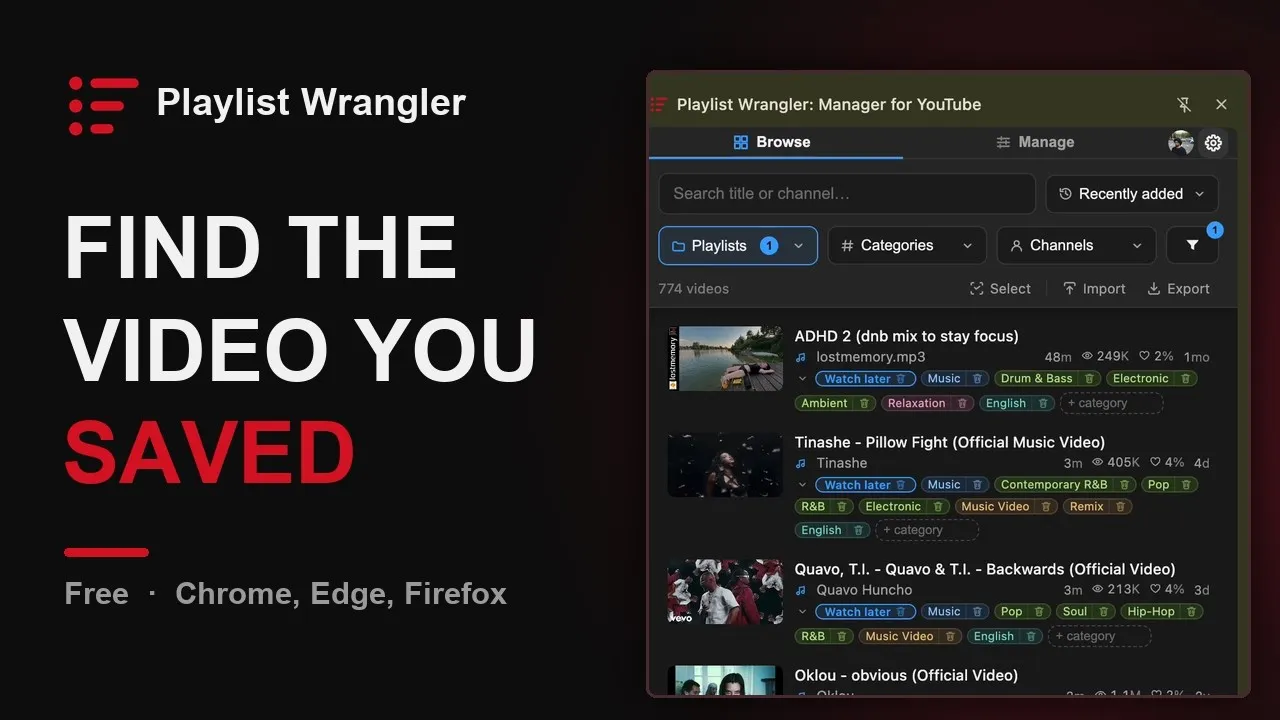
- The like-to-view ratio on every video, right in YouTube
Scroll for more → The videos load from YouTube only when you press play.
New in v1.41.0
- Move to top puts videos back at the top of a playlist. Select them and choose Move to top under ⋯: they lead Recently added in the panel and Date added (newest) on YouTube, first pick on top. It works in Watch Later and the playlists you own.
- The sort you pick stays picked, across browser restarts and in every window, and a playlist you keep in your own order still shows Recently added newest first.
- A question you type in Quick Ask stays a tab, one click from its answer for a week, and the ✦ menu draws a mode lighter once its answer is saved, opening that answer instead of asking again.
YouTube hands you a playlist, not a way to search it. Past a hundred videos it barely lets you scroll, and the official API means keys, OAuth, and quotas. Playlist Wrangler skips all of that, makes the list findable, and lets you reshape it into playlists you actually use.
A closer look
Search and filter that works
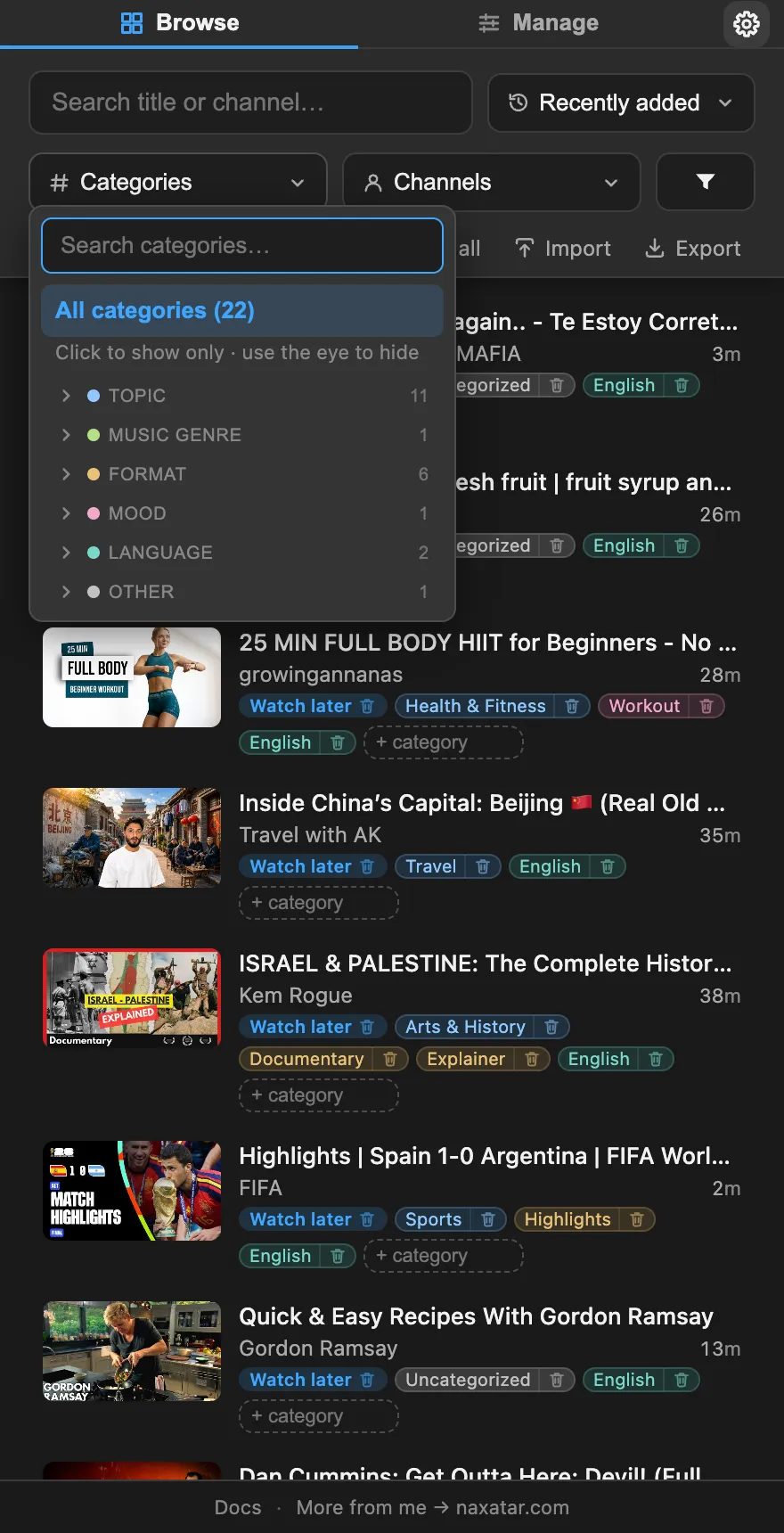
Full-text search across every video, plus filters for category, channel, length, language, age, views, likes, and captions. Each filter leads with the values still present in what you’re looking at.
Sorts every video for you, free
The moment a playlist is indexed, every video is sorted into 252 categories — 34 topics, 164 music genres, film and TV genres, formats, moods — and 40 languages. The genre tree is weighted by where YouTube’s audience actually is, not one country’s charts. No labeling, and not a paid upgrade.
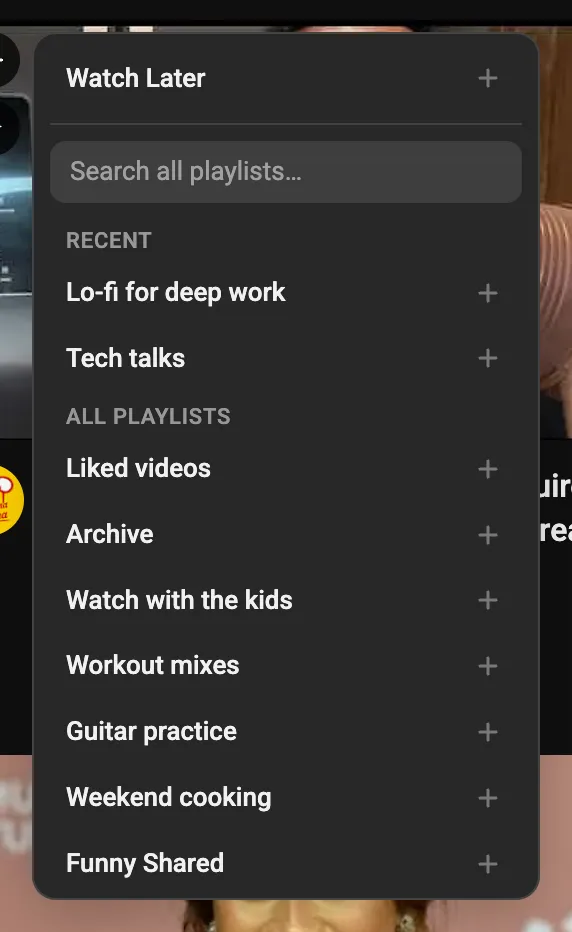
Save to any playlist, without leaving the page
A + button on any thumbnail reaches your whole library through a search box, with recent destinations on top. A ✓ marks what you already have, and clicking it takes the video back out.
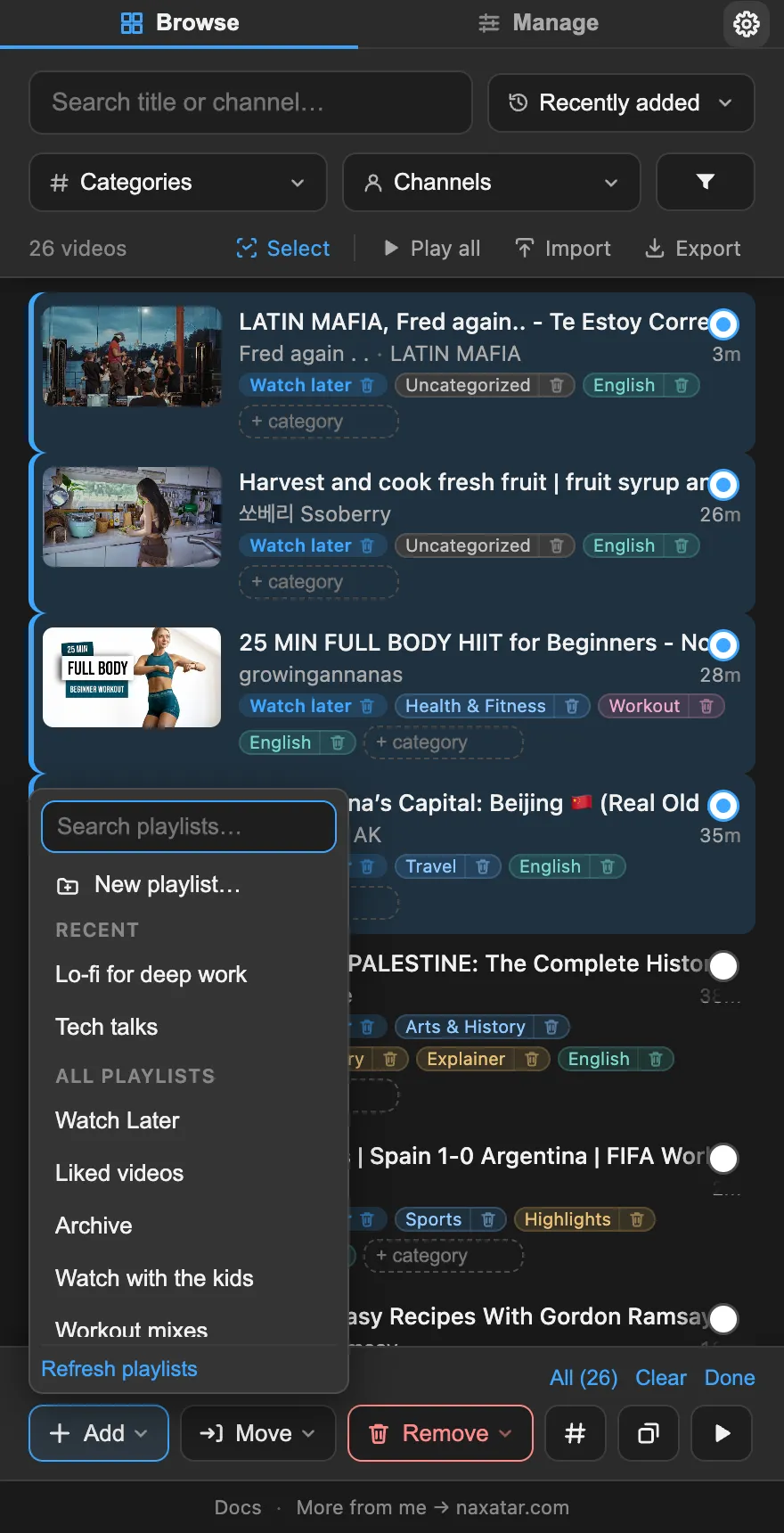
Split one list into many
Filter to what belongs together, select the lot, and move it into its own playlist in one step. Every bulk add, remove, or move has a one-tap undo.
Build tonight’s queue by hand
Cmd-click (Ctrl on Windows) the videos you want, in the order you want them, and press Play. Each one wears its place in the running order as you pick it, and they play in exactly that order as a temporary playlist. Or push them onto YouTube’s real queue, after whatever is already playing.
Finish what you started
Filter by how much of each video you have already watched, in steps from Not started to Watched, read from the red bar YouTube itself draws, never guessed from length. And when a bar is wrong, select those videos and Mark unwatched clears it, the only way YouTube allows: by removing them from your watch history.
Your library outlives YouTube’s limits
A video YouTube deletes or privates keeps its row, with the title you would otherwise never see again. A playlist near the 5,000-video cap reads as a fraction of it, with a one-click way to free up room. Liked videos past 5,000 are kept instead of dropped. And any view exports to CSV.
Honest about limits
Titles first, detail on request
Descriptions and transcripts aren’t part of basic playlist data, so a scan reads each video’s title and channel, and opens only the newest 100 for more. Scanning every video in detail adds YouTube’s own category, keywords, and exact stats to the rest.
Automatic categories are guesses
They’re worked out on your machine from what a video says about itself, so some will be off. Every one can be changed or removed, in bulk if you like, and anything you set by hand is never overwritten.
YouTube moves, and I follow
It reads YouTube’s live page rather than a stable API, so a big redesign can occasionally call for an update. The parser is built defensively to ride most of them out.
Questions
How do I search inside a YouTube playlist?
Can I search my Watch Later without an extension?
Can it organize a huge Watch Later?
How do I clear the red progress bar, or mark a YouTube video as unwatched?
Can I filter a playlist by what I have already watched?
How do I find videos I have saved in more than one playlist?
What happens when a YouTube playlist hits the 5,000-video limit?
A video in my playlist was deleted — can I find out what it was?
Can it filter Shorts out of a playlist?
Can I filter a playlist by genre, mood, or language?
Is there a free extension that automatically tags or categorizes a YouTube playlist?
How do I add a list of video links to a YouTube playlist?
Can I export a YouTube playlist to CSV or Excel?
Can it summarize a YouTube video without playing it?
Can I sort or shuffle a playlist by length, views, or likes?
Can it find the songs in my playlists and play them on YouTube Music?
Can I add videos to YouTube’s queue from the panel?
What is the like-to-view percentage it shows?
Do I need a YouTube or Google API key?
Does it work on private or unlisted playlists?
Where is my data stored?
Can it change anything on my YouTube account?
Is it free?
How is it different from PocketTube?
My old playlist extension stopped working. Does this replace it?
Which browsers does it work on?
Is there a Firefox version?
Is there a Microsoft Edge version?
Does it work in Arc?
Looking for how-to steps on a specific feature? The searchable docs cover every one.
Found a bug or have an idea?
It goes straight to the maker — one person who builds Playlist Wrangler. No account, no thread to chase.
Organize any YouTube playlist.
Free, private, and it stays out of your way. Pick your browser.
Free and ad-free. If it helps you, you can support the work.