You found five videos a friend should watch. You paste the first link into the chat, then the second, then the third. By the fifth they have opened one and stopped reading.
YouTube can play a whole set of videos from one link, with no account and no playlist
to make: put the video IDs after watch_videos?video_ids=. I tested it on 3 October
2026. It keeps your order, works for someone who is signed out, and plays up to 50
videos.
Why not just make a playlist?
You can. But you have to sign in, create it, add each video, and set it to Unlisted or Public, because a private playlist’s link opens for nobody else (YouTube Help). Then it sits in your library until you remember to delete it. Fine for a list you keep, slow for five videos you want to send right now.
The one-link way
-
Copy each video’s ID. It’s the 11 characters after
v=: inyoutube.com/watch?v=dQw4w9WgXcQthe ID isdQw4w9WgXcQ. -
Put them after this address, separated by commas:
https://www.youtube.com/watch_videos?video_ids=ID1,ID2,ID3 -
Send that link. It opens as an “Untitled List” and plays in your order.
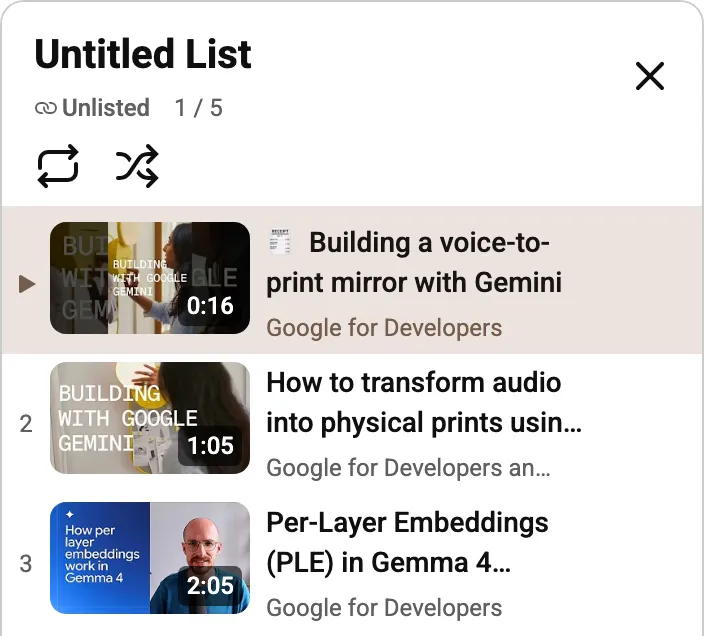
The limit is 50. I sent links with 51, 60 and 100 IDs and each played the first 50, with no message about the rest. If you see a guide that says 20, it’s out of date: 21 worked.
Don’t copy the address bar
Once the list opens, the address changes to watch?v=…&list=TLGG…. That TLGG list is
temporary. I opened lists YouTube had made on earlier days: one from the day before
still played, one from two days before was gone. So send the watch_videos link you
built, not the address you land on. Yours makes a fresh list every time someone opens
it.
In two clicks, from your own playlists
Typing IDs is fine for three videos. For twenty out of your Watch Later, I built it into Playlist Wrangler, a free Chrome extension I make. Select the videos, press Share:
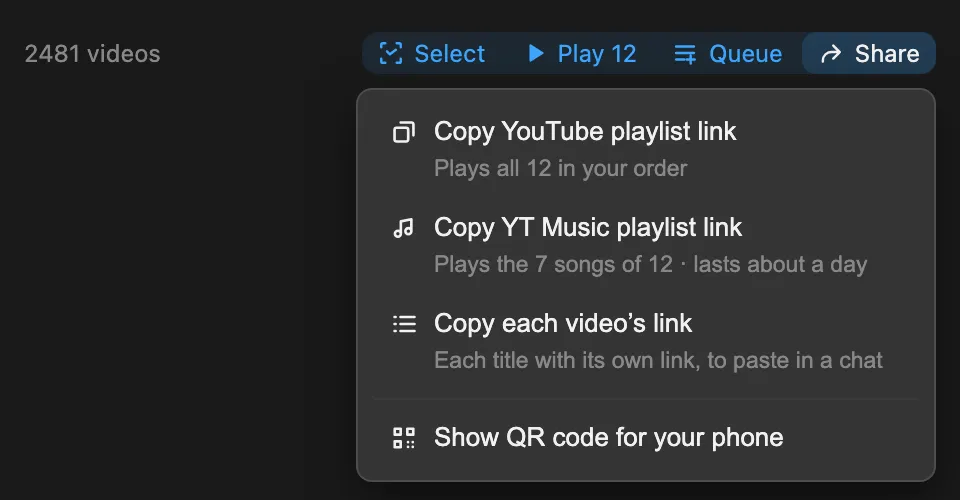
- Copy YouTube playlist link gives you the same
watch_videoslink, in the order you picked. - Copy YT Music playlist link keeps only the songs, since YouTube Music skips
everything else. It’s a
TLGGlist, so it lasts about a day. - Copy each video’s link pastes every title with its own link, when your friend would rather pick. No 50 limit here.
- Show QR code opens the same list on your phone.
Quick answers
Does my friend need a YouTube account? No. I tested it signed out.
More than 50 videos? Split them into two links, or send each video’s link.
Next time it’s one link, and your friend gets all five in the order you meant. If you try the Share menu, tell me what you ended up sending.